 Gantry
Every container, VM and lab you run, in one window.
Gantry is a desktop app for Docker, Podman and containerd projects, QEMU virtual machines, Cisco network labs and Kubernetes clusters, on this computer and on your servers over SSH. Your compose files stay the source of truth, and nothing needs to be installed on the servers.
Free software under AGPL-3.0. macOS, Linux and Windows (experimental).

The machines you use, and what runs on them
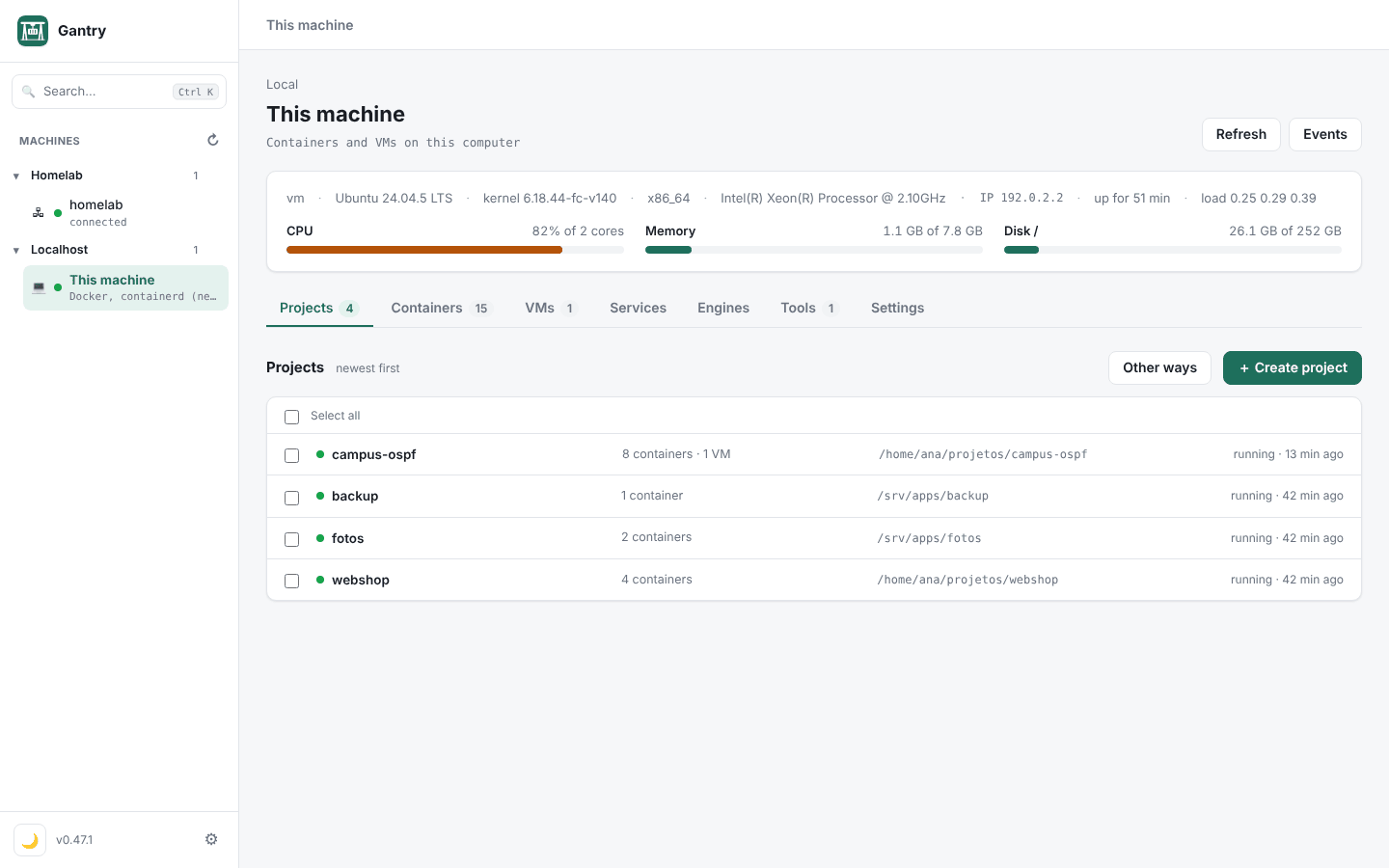
Gantry reads the state from each engine, so what you start in a terminal shows up right away. Pick a part to see it.
Network labs that run on your laptop
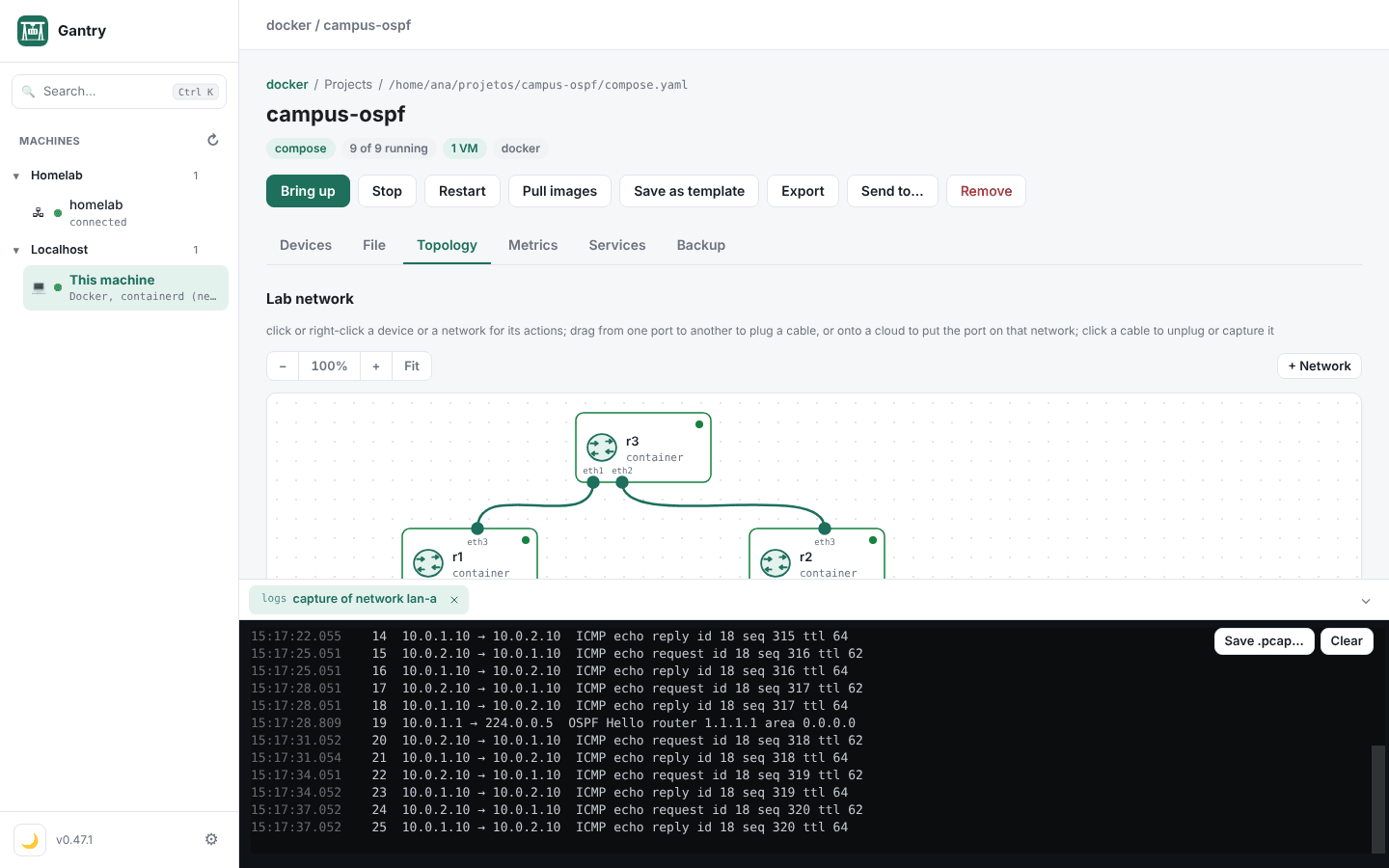
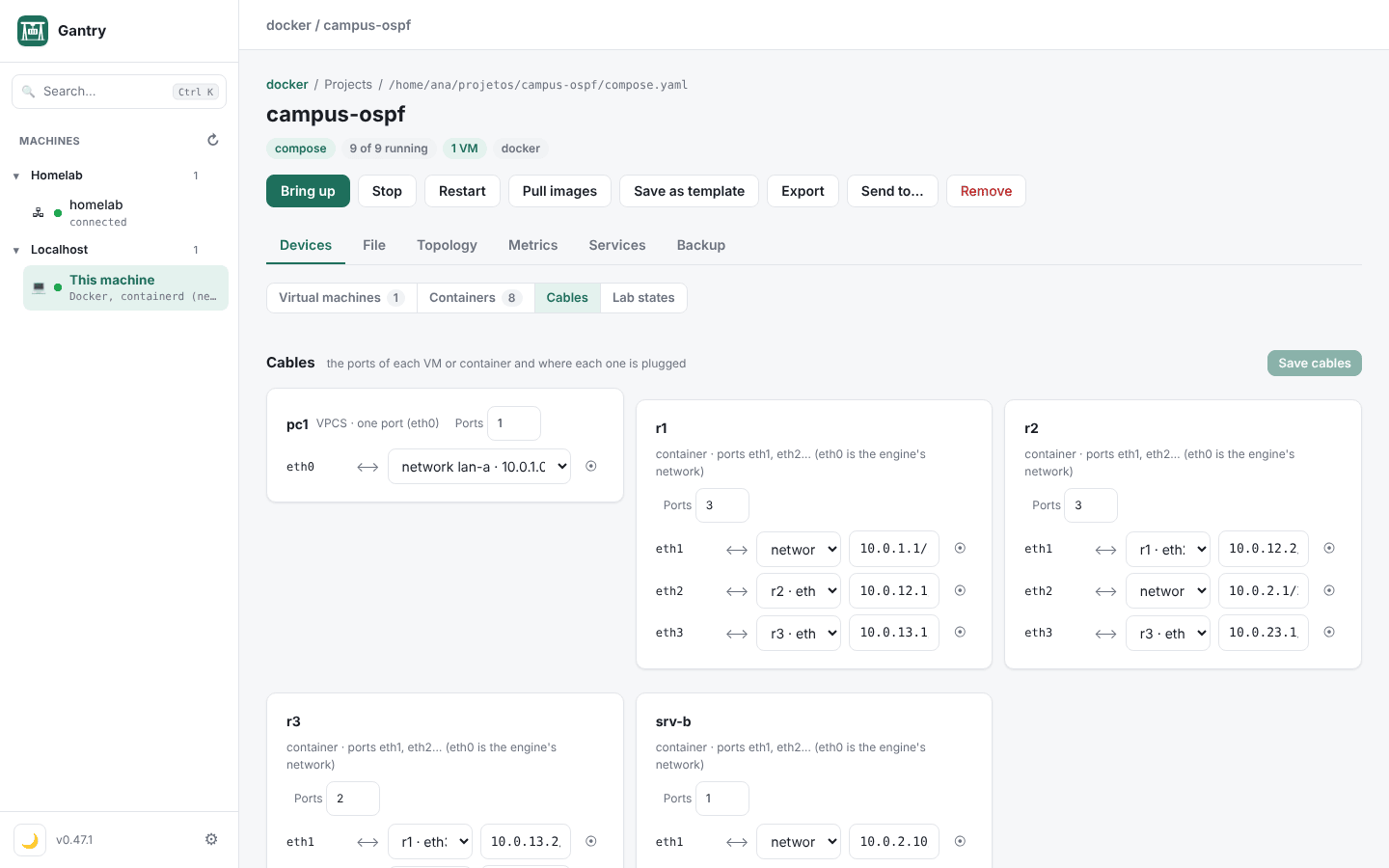
Cisco IOL, Dynamips and VPCS sit next to containers such as FRR or any Linux, in the same compose file, wired by cables. Gantry draws the topology, captures any cable live and imports PNETLab and EVE-NG labs as they are.
services:
  r1:
    image: frrouting/frr:8.4.4
    x-interfaces:
      - {rede: lan-a, ip: 10.0.1.1/24}
      - {link: r1-r2, ip: 10.0.12.1/30}
  r2:
    image: frrouting/frr:8.4.4
    x-interfaces:
      - {link: r1-r2, ip: 10.0.12.2/30}

x-vms:
  pc1:
    image: vpcs
    interfaces: [lan-a]
  R3:
    image: cisco-c7200   # or cisco-iol
    interfaces: [r1-r3, r2-r3]
- Drag a port to another to wire a cable; right-click a device for its console.
- Save the state of every device and go back to it, like a save point in an exercise.
- Imports keep the same devices, cards, cables and configs, mistakes included. What had to change is written down.
What you don't need
Gantry is one binary on your computer. Everything else is what you already have.
A server to host the dashboard
The interface runs inside the app, on 127.0.0.1, with a new token at every launch.
An agent on every server
SSH and the engine socket are enough. A small optional agent adds 24 h of metrics history and a direct TLS link.
A new project format
A project is a compose.yaml that docker compose still runs without Gantry. The extras are optional x- keys.
A dedicated lab appliance
Routers, switches, PCs, containers and VMs share one compose, on a Mac or any Linux box.
kubectl and another IDE for clusters
Workloads, logs, shell, port forward, Helm and CRDs sit next to your machines, with a read-only mode per cluster.
Passwords in plain .env files
Secrets can live in the system keychain and are handed to compose only when it runs.
Download
Pick your system. The apps are not signed yet: Homebrew handles it on macOS; with the zip, open it the first time with right-click › Open.
One command
Linux and macOS
curl -fsSL https://gonservice.github.io/gantry/install.sh | shWindows (PowerShell)
irm https://gonservice.github.io/gantry/install.ps1 | iexmacOS with Homebrew
brew install --cask gonservice/tap/gantryInstalls for your user, without sudo or admin, and checks the files against the release checksums. On a Linux server without a desktop, it installs the server version. Run it again to update.
| System | File |
|---|---|
| macOSApple Silicon and Intel | Gantry-macos.zip |
| Linux desktop appx86_64, needs WebKitGTK 4.1; run ./instalar.sh | Gantry-linux-amd64.tar.gz |
| WindowsExperimental, runs engines and VMs inside WSL2 | Gantry-windows.zip |
| Headless Linux serverNo window: the interface opens in a browser | amd64 · arm64 |
Version 0.47.1 · all versions and checksums
Then
- The first screen shows what Gantry found on this computer and offers the servers in ~/.ssh/config and the clusters in ~/.kube/config.
- Your running compose projects are already listed.
- Read the step-by-step guide